

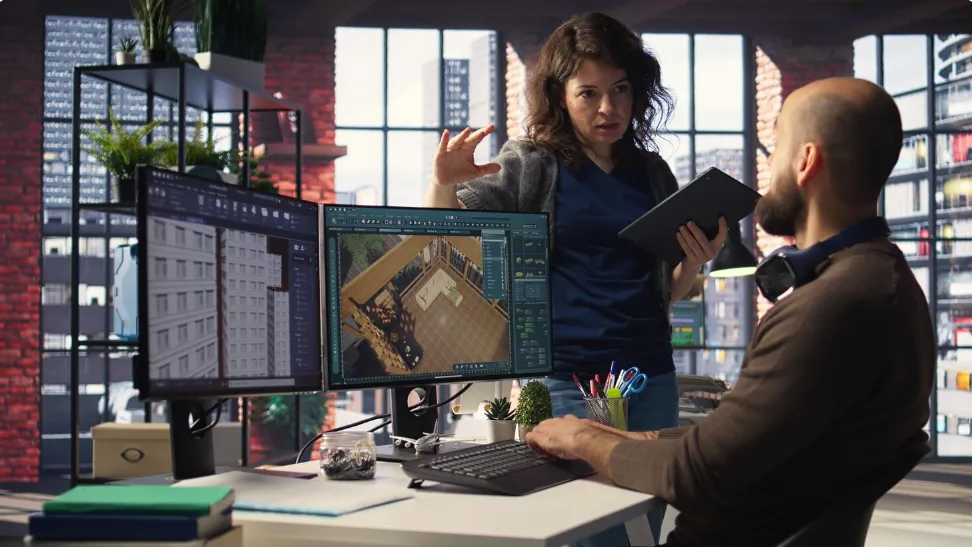
Top 10 AI Tools for Architects in 2026
Weeks of feasibility studies now take hours. Photorealistic renders that once required overnight processing appear in seconds. The architectural workflow is changing faster than at any previous point in the profession’s history, and the tools below are what is driving it.
A 2024/25 survey by Chaos and Architizer covering 1,227 architecture professionals found that 46% already use AI tools in their work, with another 23% planning to adopt them, a 20% jump from the previous year. The generative AI in architecture market was valued at $1.48 billion in 2025 and is projected to reach $5.85 billion by 2029 at a CAGR of 41.1%. These numbers reflect a profession in genuine transition.
The ten tools below cover the full arc of the architectural workflow: feasibility analysis and site optimization at the pre-design stage, generative floor planning and environmental simulation at schematic design, cloud-native BIM modeling for early documentation, and AI rendering for client communication at every stage. Each has been selected for the specificity of its value to practicing architects, the evidence behind its adoption claims, and its integration with the software environments architects already use.

1. TestFit
Best for: Real estate feasibility, site optimization, unit mix analysis, and pre-design financial modeling
TestFit is the platform that has most measurably changed how architects approach pre-design. Founded in Dallas in 2016, it automates the site feasibility process that previously required architects to spend days or weeks manually testing configurations, how many units fit, how parking distributes across the site, what happens when the unit mix shifts from studios to two-bedrooms, whether the yield on cost meets the developer’s threshold. Every one of those questions used to mean redrawing plans, recalculating areas, and updating spreadsheets. TestFit runs all of them simultaneously in seconds.
The platform generates thousands of buildable design options from parametric input: site boundary, zoning constraints, building typology, unit mix targets, and parking ratios. Its AI configurators (including Site Solver and Urban Planner) produce optimized site layouts with real-time financial modeling layered on top. A single feasibility study that previously consumed a week of billable time can be completed in a few hours.
One architecture firm documented winning over $750,000 in project fees by marketing TestFit as a competitive advantage in developer pitches. Another saved over $200,000 in labor hours across its portfolio.
TestFit’s strength is financial and yield optimization, which distinguishes it from Autodesk Forma’s environmental analysis focus. The two tools serve different feasibility questions and are frequently used in sequence on the same project. A 2026 TestFit customer survey confirmed the sustained ROI claims across clients ranging from multifamily residential developers to urban planning teams.
2. Finch 3D
Best for: Generative floor plan production, residential layout optimization, and schematic design iteration in Revit and Rhino
Finch 3D was built by architects in Malmö, Sweden (founders Pamela Nunez Wallgren, Jesper Wallgren, and Martin Kretz) who wanted a tool that compressed the schematic design iteration cycle without removing the architect from the design decision. The result is a generative AI platform that uses graph technology to produce and optimize floor plans from a building massing in seconds, with real-time performance feedback on metrics including area distribution, daylight access, and corridor efficiency.
The tool’s architecture-specific design logic sets it apart from general-purpose generative AI. Finch 3D encodes design constraints through graph rules, sequences of logical relationships between spaces that can be defined by the firm to encode their own design standards, client requirements, and building code compliance criteria.
At the Enterprise tier, these custom graph rules allow large residential developers to apply consistent design intelligence across hundreds of unit types without manual re-checking. Independent reviews clock design review time reductions of up to 30% and rework cost savings of 25% through early error detection.
The Revit integration delivers BIM-ready output directly into the documentation environment, closing the gap between generative exploration and production drawings. With a free plan that includes full manual editing and BIM integrations, Finch 3D has a clear entry point for practices evaluating generative design without budget commitment.
3. Forma by Autodesk
Best for: Early-stage environmental analysis, sun and wind simulation, embodied carbon assessment, and site massing for urban projects
Forma Site Design won Architectural Record’s Best Architectural Products of the Year 2025, with the jury specifically citing its transformation of early-stage design through cloud-based collaboration and real-time environmental analysis. Originally developed as Spacemaker and acquired by Autodesk in 2020, the platform has become the most institutionally validated AI design tool for environmental analysis at the schematic stage.
The analysis suite runs entirely in the browser and delivers results in seconds rather than requiring overnight simulation exports. Sun hours analysis was the most-used Forma feature in 2025, according to Autodesk’s own product update data. Wind comfort analysis, noise level mapping, microclimate simulation, and embodied carbon assessment (powered by machine learning) give design teams a multi-dimensional environmental picture at the massing stage, before detailed design decisions commit the project to a particular energy performance outcome.
Baker Barrios Architects documented 40 hours of traditional analysis work compressed to under 4 hours using Forma, a time saving that compounds across the pre-design phases of large urban projects. Forma’s Site Automation tool generates multiple building layout options based on predefined typologies and setback rules, giving teams a rapid range of massing options to analyze before committing. In late 2025, Autodesk entered beta for Forma Building Design, which extends the platform’s scope from conceptual massing into schematic design at LOD 200–300, with general availability expected in 2026.
4. Snaptrude
Best for: Cloud-native BIM design, AI-powered floor plan generation, real-time team collaboration, and sketch-to-BIM conversion
Snaptrude is described by independent reviewers as the fastest-growing BIM platform in 2026, and its growth reflects a structural gap in the BIM market that Revit and ArchiCAD have not closed: real-time, multi-user, cloud-native collaborative modeling with AI-generated floor plans built in.
Snaptrude 3.0, launched in 2025, operates as a full-stack early-stage design environment. Text prompts, uploaded RFPs, or space programs feed a set of AI agents that analyze site conditions (zoning setbacks, flood zones, height limits, and building codes) generate a structured architectural program, assign dimensions based on IBC, ADA, and Neufert standards, stack spaces across floors, and produce a presentation-ready BIM model.
Clients report 60 to 70% reductions in concept design time compared to traditional workflows. The platform’s sketch-to-BIM conversion translates conceptual massing directly to LOD 300/350 BIM output without re-modeling, then exports to Revit for construction documentation.
For multi-family housing in particular, Snaptrude’s AI unit planning handles unit stacking, corridor efficiency, and code compliance on the first pass, reducing the blocking-and-stacking process for a 100-unit apartment building from a full day in Revit to hours. Cloud-native real-time collaboration eliminates the worksharing friction that Revit file-based systems create across distributed teams. The free plan is a genuine working environment with no time limit, not a trial.
5. Gendo
Best for: AI-powered rendering for concept visualization, collaborative design exploration, and early-stage client presentation
Gendo was built by and for design professionals, with early users from Zaha Hadid Architects, KPF, David Chipperfield Architects, and Benoy, a client roster that reflects genuine institutional trust rather than academic adoption. The platform’s core capability is converting 2D sketches, screenshots, and hand-drawn concepts into photorealistic architectural renders through a collaborative browser-based canvas, without requiring dedicated rendering hardware, V-Ray licenses, or Lumion installations.
The Architectural Design Canvas allows teams to upload reference images, apply style transfers, swap materials, adjust lighting conditions, and iterate on renders in real time, with every change immediately visible to all collaborators. An inpainting feature allows architects to select a specific region of a render and regenerate only that area: change the facade material without regenerating the sky, modify the landscaping without rebuilding the building massing. This precision means AI renders can reflect actual design decisions rather than generating plausible but inaccurate environments.
Gendo’s founding team includes architects who worked at Foster + Partners, which shaped the product around the specific visual communication challenges of professional practice. In February 2026, Gendo offered unlimited rendering access to all users, a move that signals the firm’s confidence in its infrastructure and its intent to become the default rendering environment for collaborative design teams. Client approval workflows, version control, and decision traceability are built into the canvas, making it a practice management tool as well as a visualization one.
6. Maket
Best for: Residential floor plan generation, zoning research, and rapid schematic design exploration for houses and small buildings
Maket is the most accessible generative floor plan tool on this list, and for residential architects, developers, and builders who need to generate multiple layout options from a project brief in minutes rather than hours, it occupies a niche that no other platform on this list directly serves.
The workflow is direct: input room types, quantities, target square footage, lot dimensions, and any applicable zoning rules through dropdown menus or natural language, and the platform generates multiple floor plan variations within seconds. Each variation is informed by AI-driven optimization across factors including natural light, space utilization, and circulation efficiency. Architects commonly report generating 10 to 15 layout variations in the time it previously took to sketch one by hand, then selecting the strongest option for refinement in Revit or ArchiCAD for construction documents.
The platform’s zoning research tool simplifies what is normally a time-consuming manual process: identifying applicable setbacks, height limits, FAR constraints, and permitted uses for a residential site without navigating municipal planning portals.
A 3D visualization mode gives clients an immediate spatial understanding of generated layouts without requiring the architect to build a separate model. An October 2025 funding round led by Amiral Ventures reflected investor confidence in Maket’s trajectory, with the v2 release expected to add HVAC planning and material takeoffs alongside improved generation quality.
7. mnml
Best for: Fast sketch-to-render visualization with 40-plus styles, SketchUp/Revit/Blender integration, and 8K upscaling
mnml (pronounced “minimal”) is a focused AI rendering platform built specifically for architects and interior designers who need to convert sketches and 3D model exports into photorealistic visualizations quickly, across a range of styles, without managing a traditional rendering pipeline. The ArchDiffusion engine (proprietary to mnml) handles exterior, interior, landscape, and masterplan rendering with consistent quality across more than 40 architectural styles, from photorealistic CGI to conceptual sketch rendering and everything in between.
The practical workflow is simple: export a viewport or clay model screenshot from SketchUp, Revit, Blender, or 3ds Max; upload it to the platform; apply a style preset or text prompt; and receive a rendered variation in seconds. The 1-Click Sketch-to-Render feature specifically addresses the hand-drawn concept stage, transforming rough paper sketches into rendered images that communicate design intent clearly for early-stage client meetings.
An inpainting tool allows targeted edits, add landscaping to a specific area of an exterior render, modify facade materials without regenerating the full scene, change a sky condition independently of the building.
At $19 per month for the Basic plan with 1,000 render credits, 4K upscaling, and full commercial rights, mnml sits at the accessible end of the professional rendering market. The Pro plan at $39 per month expands to 5,000 credits and 500 design generations. For practices that need rapid, style-varied concept visualization without the overhead of a dedicated rendering workstation or specialist software, mnml is one of the more cost-effective professional options in 2026.
8. Leonardo AI
Best for: AI image generation for architectural mood boards, concept exploration, design ideation, and creative visualization beyond strict geometry
Leonardo AI is primarily an AI image generation platform, and its inclusion in a list of architecture-specific tools reflects how architects are actually using it: for mood boards, material explorations, design concept images, competition entries, and the early ideation work that precedes any specific geometry. It does not render a SketchUp model or generate a floor plan. What it does is produce high-quality architectural concept imagery from text prompts with a level of creative range and stylistic control that purpose-built architectural tools do not offer at the same resolution.
The platform’s fine-tuning capability is particularly valuable for architecture. Architects can train custom models on their firm’s own project photography and visual references, creating a personal AI image engine that generates concepts consistent with their design language rather than generic architectural imagery. The Canvas feature provides an editing environment for refining AI-generated images, extending or modifying specific areas, and combining multiple generations into a coherent concept board.
For architects preparing competition submissions, investor pitch materials, or early-stage client presentations where atmosphere and design intent matter more than geometric accuracy, Leonardo’s creative range sits well above purpose-built architectural visualization tools. It functions most effectively as a complement to geometry-based tools, Snaptrude or Finch 3D for plan generation, Leonardo for the atmospheric concept imagery that communicates what the project will feel like before the drawings are precise enough to render accurately.
9. MyArchitectAI
Best for: Browser-based photorealistic rendering from CAD exports and sketches, with zero installation and sub-10-second delivery
MyArchitectAI occupies the fastest and most frictionless end of the AI architectural rendering market. The platform claims 90% of traditional rendering results with 10% of the effort, delivering average render times of 9.3 seconds per image from a browser tab with no local installation, no dedicated GPU, and no rendering software license. For architects presenting design options at client meetings or generating rapid concept variations during a design workshop, the ability to produce a photorealistic render in under 10 seconds changes the pace of real-time collaboration fundamentally.
The workflow accepts CAD exports, sketches, and line drawings in PNG or JPG format. A style transfer tool applies design references while preserving layout and structure, meaning the architectural geometry of the uploaded image is retained while materials, lighting, and atmosphere are regenerated according to the selected style or prompt. An editing tool allows targeted modifications, changing specific materials, adjusting lighting, or modifying portions of the rendered image, without requiring a full re-render of the scene.
The platform integrates natively with major 3D tools including SketchUp, Revit, Rhino, and Blender through standard image export workflows. Output resolution reaches 4K, and all plans include full commercial use rights. MyArchitectAI’s primary use case is the same meeting or presentation where a client requests “can we see that in a different material?”, a request that previously required days and now takes seconds.
10. Rendair
Best for: Sketch-to-render and 3D-screenshot rendering with video animation, AI chat editing, and a large user base of 500,000-plus architects
Rendair has built the largest user base of any dedicated AI architectural rendering platform, with over 500,000 architects and designers across its global community. That adoption reflects the platform’s combination of accessible pricing, a student tier at approximately $7.60 per month and professional plans scaled for practice size, a straightforward upload-and-render workflow, and a rich library of tutorials and examples that reduces the learning curve for architects new to AI visualization.
The core workflow mirrors other sketch-to-render platforms: capture a solid view screenshot from any 3D application, upload it to the Rendair web interface, add a text prompt describing materials, time of day, and atmosphere, and the AI generates photorealistic variations within seconds. Rendair handles a range of styles reliably, from photorealistic to watercolor concept images, and its student pricing has made it the default AI rendering tool in many architecture school curricula, creating a pipeline of practitioners already familiar with the platform when they enter professional practice.
Rendair’s differentiating features beyond standard rendering include AI chat for editing renders through natural language commands, describe a change in plain English and the AI modifies the image without requiring the architect to re-upload or re-prompt from scratch, image upscaling and enhancement, and video animation from static renders that converts a single rendered view into a short cinematic walkthrough.
The absence of a direct BIM plugin means all renders begin from image uploads rather than live model connections, which adds one workflow step for practitioners using Revit or Rhino. For architects at every career stage who want a reliable, affordable, and well-documented AI rendering tool with a large community behind it, Rendair is the most widely used option in the market.

How These Tools Fit the Stages of Architectural Practice
The ten platforms above address distinct stages of the architectural workflow, and understanding where each one belongs clarifies both their individual value and how they work together.
The pre-design stage is where TestFit operates: evaluating sites, testing unit mixes, and running financial models before any design decisions are committed. The output is a feasibility conclusion, not a design. Forma by Autodesk extends into environmental feasibility at the same stage, answering questions about sun access, wind comfort, and embodied carbon that shape design decisions before a single wall is placed.
Schematic design is where Finch 3D and Maket operate: generating floor plan options from a brief, exploring layout configurations, and arriving at a spatial organization that the team can refine. Snaptrude bridges schematic design and early BIM, converting the spatial organization into an editable, code-aware BIM model that Revit can receive for detailed documentation.
Client communication and design development are where the rendering tools, Gendo, mnml, MyArchitectAI, and Rendair, do their most visible work. Each addresses the same fundamental problem from a different angle: how to show a client or stakeholder what a design will look, feel, and inhabit like, before the construction documents exist to make that question answerable through precise technical drawings alone. Leonardo AI extends this into the atmospheric and conceptual layer that precedes geometric precision.
The practical lesson from 2025 adoption data is that architects using AI tools across multiple workflow stages consistently report larger gains than those using a single tool in isolation. A practice that evaluates sites in TestFit, generates floor plans in Finch 3D or Snaptrude, analyzes environmental performance in Forma, and visualizes concepts in Gendo is compressing the equivalent of several weeks of traditional pre-design and schematic work into days. Each tool shortens a specific part of the cycle. Used in sequence, the compound time saving is what is driving the adoption numbers that architecture surveys are now consistently reporting.
The rise of AI in architecture marks a fundamental shift in how buildings and cities will be designed over the coming decade. What began as experimental tools for generating images or layouts is quickly evolving into intelligent design partners capable of analyzing data, optimizing decisions, and accelerating every stage of the architectural process. While human creativity, judgment, and contextual understanding remain irreplaceable, AI is redefining what architects can achieve within tighter timelines and increasingly complex project requirements. The firms that embrace these technologies today are likely to shape the next generation of smarter, more sustainable, and more responsive built environments.