

Changes Required in App Development and UI/UX for Apple iPhone Duo
A Technical Guide to Display Adaptation, Interface Design and Testing, and App Development for Apple iPhone Duo
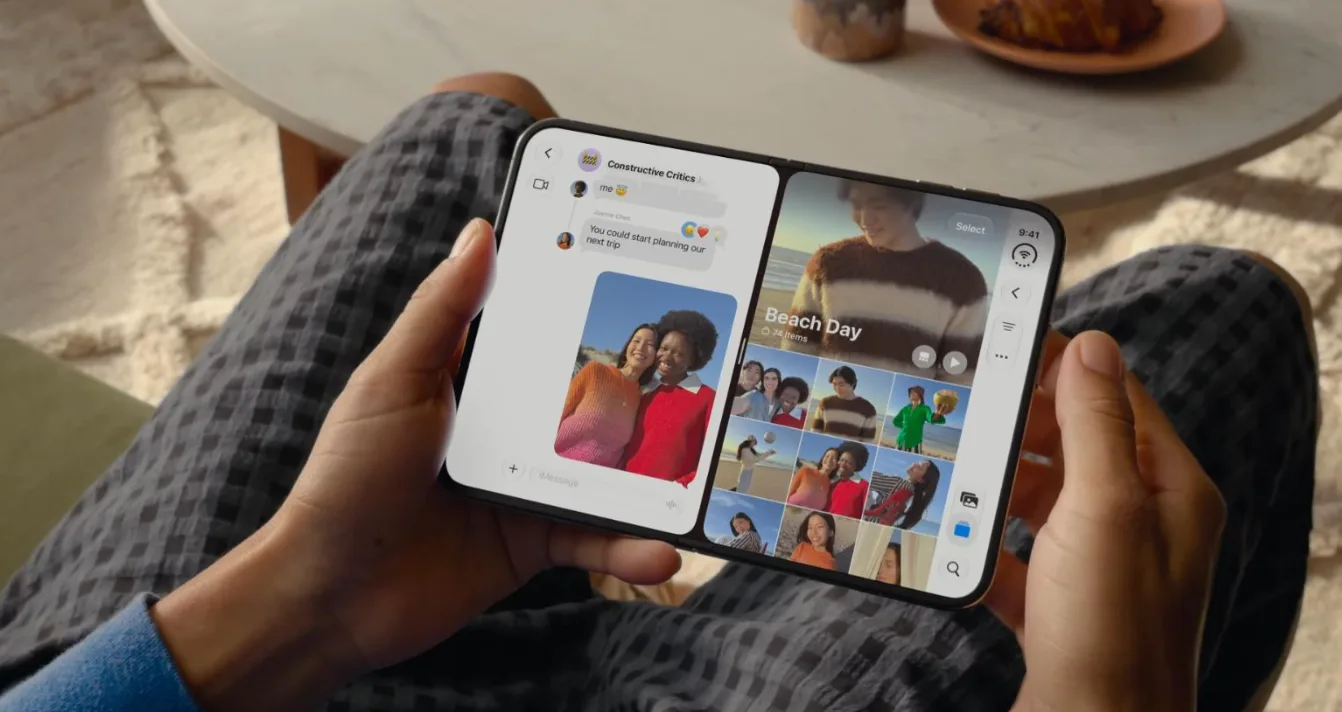
Apple’s first foldable iPhone, the iPhone Duo, introduces a new set of considerations for mobile application developers and UI/UX designers. Announced in September 2026, the device features a 5.4-inch outer display and a 7.6-inch inner display. Its folding design allows users to switch between a conventional smartphone experience and a larger screen suitable for multitasking, content consumption and productivity. Both displays share the same aspect ratio, helping maintain visual continuity when users open or close the device.
For developers, supporting iPhone Duo requires attention to screen adaptability, navigation, system interfaces, device positioning and application behaviour across different display configurations. Apple has introduced new and updated APIs in the iOS 27.1 SDK to help developers prepare their applications for these requirements.
Adapting Applications to Two Displays
One of the primary development considerations is supporting the outer and inner displays. Applications built using the iOS 26 SDK or earlier can run on iPhone Duo, but they do not automatically utilize the available screen space effectively. On the unfolded device, older applications appear in a smaller window surrounded by unused space. The experience on the outer display also has layout limitations.
Applications built using the iOS 27 SDK can resize to occupy more of the inner display. However, applications built with the iOS 27.1 SDK or later receive additional optimisation, allowing content to extend across the available display area. Developers should therefore prioritise updating their projects to the latest SDK and reviewing layouts that depend on fixed screen dimensions, hardcoded positioning or specific device assumptions.
Changes Required in UI/UX Design
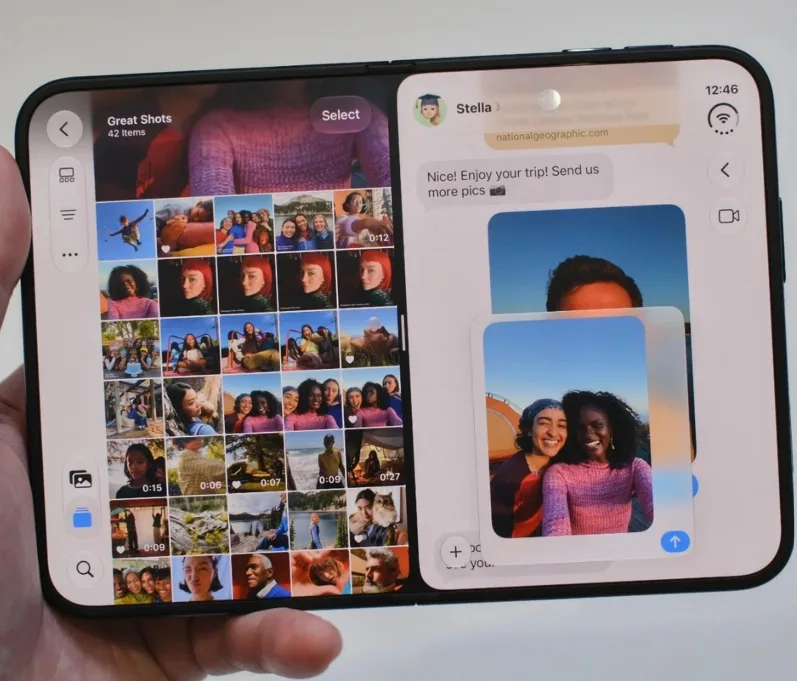
The larger inner display requires developers to reconsider how application content, navigation and interactive elements are arranged. Conventional single-column layouts may leave considerable unused space when opened on the larger display. Developers should use adaptive layouts that can present content in multiple columns where appropriate.
For example, an email application can display the inbox alongside the selected message on the inner display. A productivity application can place navigation and working content in separate sections. Such arrangements improve access to information without requiring users to navigate between multiple screens.
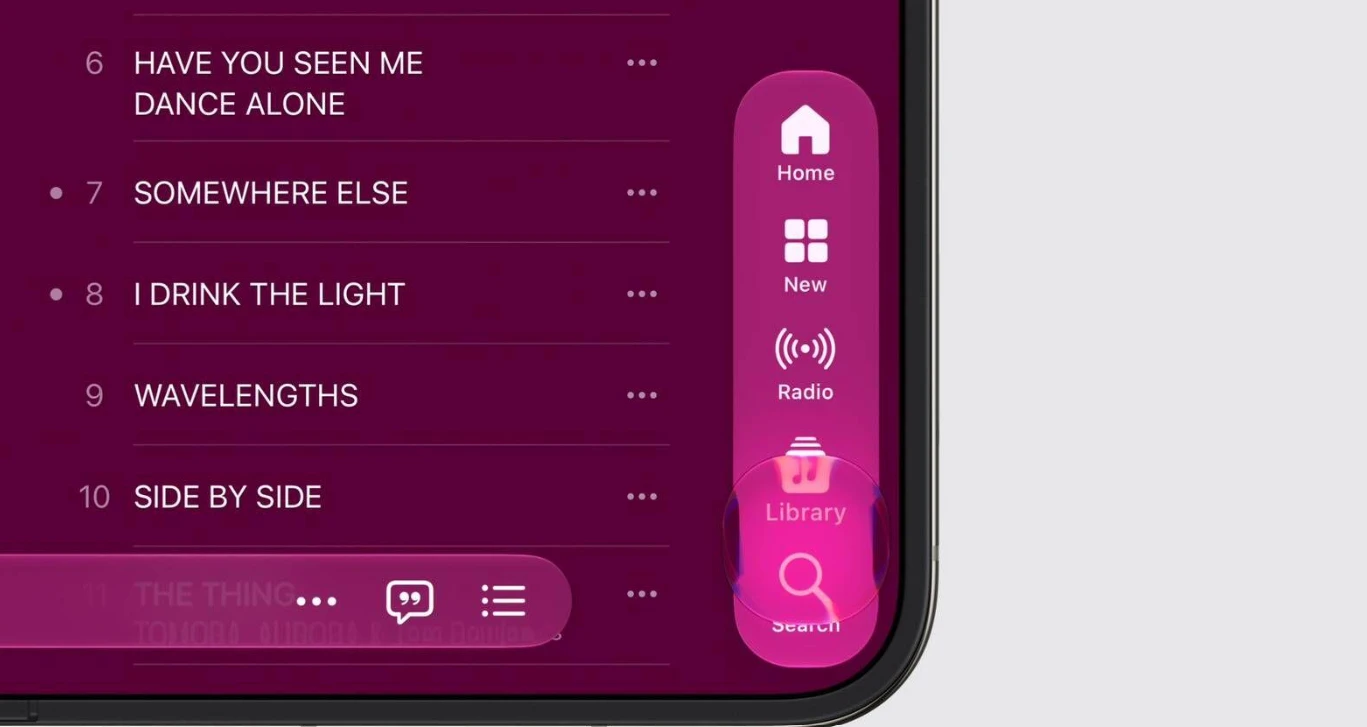
Navigation and toolbar positioning also require attention. On iPhone Duo, iOS 27 places several system controls, including app navigation and controls, vertically along the side of the display to maximise usable vertical space. Applications optimised with the iOS 27.1 SDK should account for this arrangement. Developers must review tab bars, navigation controls, toolbars and surrounding content to ensure that interactive elements remain accessible and do not overlap.
Safe areas are another important consideration. The device has cameras, system interface elements and a central folding region that influence available screen space. Developers should use the appropriate safe-area and layout-margin information rather than assuming symmetrical screen boundaries. Background content can extend into suitable areas, but interactive elements must respect system interface boundaries.
Supporting Different Folding Positions
Applications must also account for the different ways users can hold or position iPhone Duo. The device supports fully open, fully closed and partially folded positions. Apple’s Human Interface Guidelines recommend using adaptive layouts and size classes instead of developing a separate interface for every possible device position.
SwiftUI developers can use size classes through the environment, while UIKit developers can use trait collections. These help applications determine the available space and select an appropriate layout. Developers should also avoid relying on fixed orientation assumptions, particularly because the inner display has different orientation behaviour from conventional iPhone displays.
The iOS 27.1 SDK introduces a hinge API that allows applications to respond to the device’s folding angle. This can support context-specific experiences when an application needs to adjust its interface according to the device’s position. Apple also provides arrangement and reserved-region APIs for developers building custom layouts that use the available display space or accommodate system interface regions.
Development Frameworks and API Considerations
SwiftUI and UIKit remain central to iPhone Duo application development. Applications using standard components from these frameworks can adapt automatically to different display configurations with relatively little additional work. Components such as NavigationSplitView, UISplitViewController, TabView and UITabBarController support adaptive navigation arrangements.
Developers building more specialised experiences can explore the new and updated APIs in the iOS 27.1 SDK. Scene accessories allow applications to present related content across both displays simultaneously. For example, a recording application could display a teleprompter on the outer display while the user records using the inner display. Apple’s updated camera APIs also support experiences involving the rear cameras and the under-display camera.
Developers should review their existing application architecture before implementing these capabilities. Particular attention should be given to view resizing, application state, navigation behaviour and the handling of multiple scenes or windows.
Testing and Quality Assurance
Testing is essential before releasing an iPhone Duo-optimised application. Apple provides Device Hub in Xcode 27.1, allowing developers to simulate the device in different positions and orientations. Teams can open, close, fold and rotate the simulated device to examine how application interfaces respond.
Testing should cover both displays, partially folded configurations, navigation controls, safe areas, Split View and different window sizes. Developers should also check whether content remains visible and whether users can continue their current activity when switching between displays.
Application compatibility and App Store presentation also need attention. Apple has introduced updated screenshot and app preview specifications for iPhone Duo. Developers can prepare suitable product page assets through App Store Connect. Applications submitted with iPhone Duo optimisation can display an optimisation badge on their App Store product page.

Implications for App Development Companies
For app development companies, iPhone Duo creates additional work across development, design and quality assurance. Existing applications should undergo a compatibility assessment to identify fixed layouts, unsupported screen assumptions and navigation elements that require adjustment. Companies should also evaluate whether their applications can benefit from multi-column interfaces, dual-display experiences or hinge-aware interactions.
The level of effort will vary depending on the application’s existing architecture and use of standard iOS components. Applications built around adaptive layouts may require relatively limited changes, while those relying heavily on fixed dimensions or custom navigation may need more extensive engineering and testing.
Apple’s guidance provides a clear technical direction: build applications that respond to available screen space, use standard adaptive components wherever possible and test across the device’s different configurations.
Conclusion
Apple iPhone Duo introduces new requirements for application compatibility, interface design and quality assurance. Developers need to review their SDK versions, update layout behaviour, account for vertical navigation, respect safe areas and test applications across different folding positions. App development companies should include these considerations in their iOS development and maintenance processes.
Preparing applications for iPhone Duo also strengthens their ability to support different screen sizes and display configurations across Apple’s ecosystem. Following Apple’s developer documentation and adopting the latest SDK capabilities will be important for delivering consistent application experiences on the device.